Record. Transcribe.
Translate.

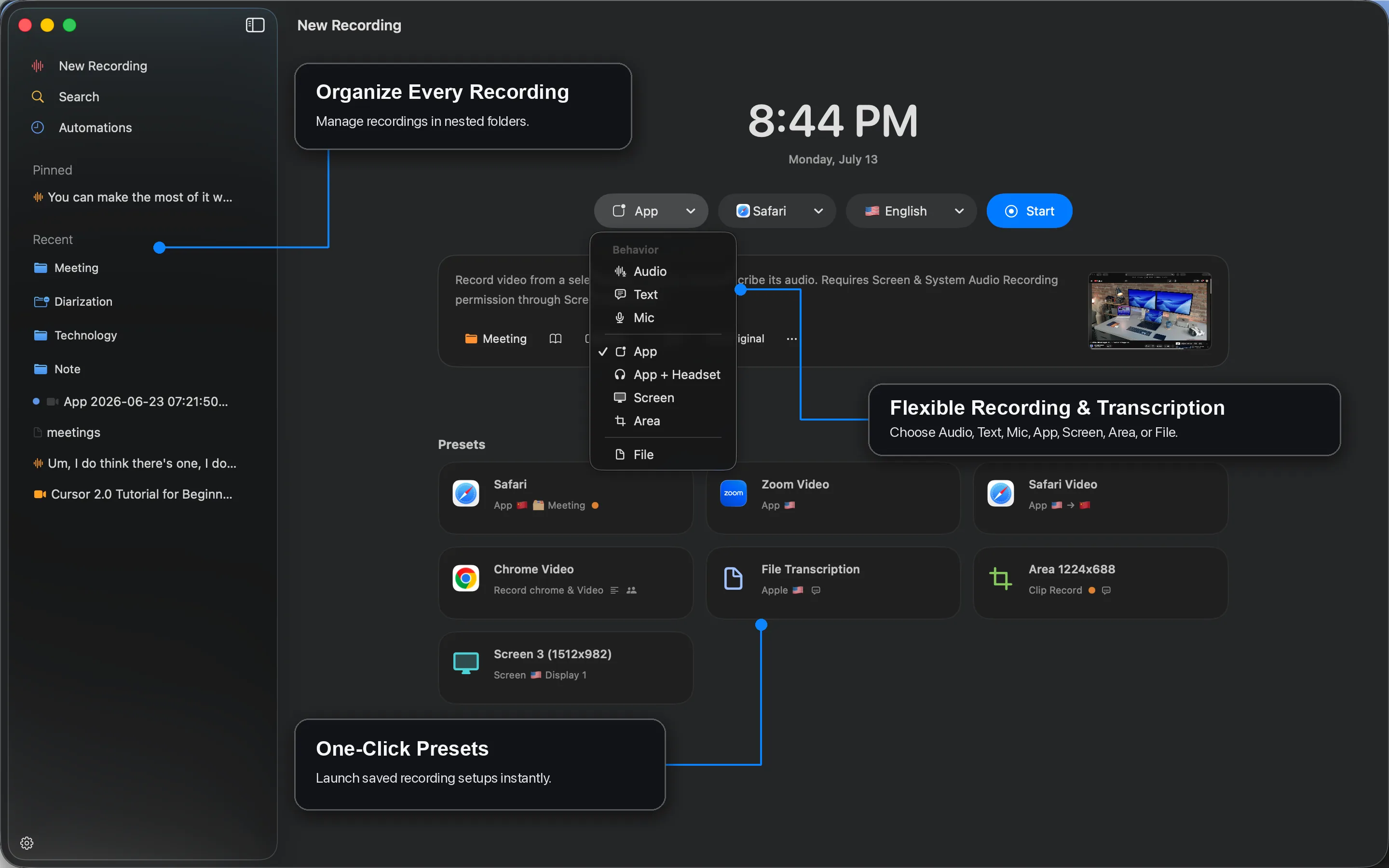
Record live audio, transcribe media files, translate in context, and turn conversations into useful, searchable work — all in one native Mac app.
Made for Apple silicon · macOS 26 or later
Caption Mate recording and transcription workspace

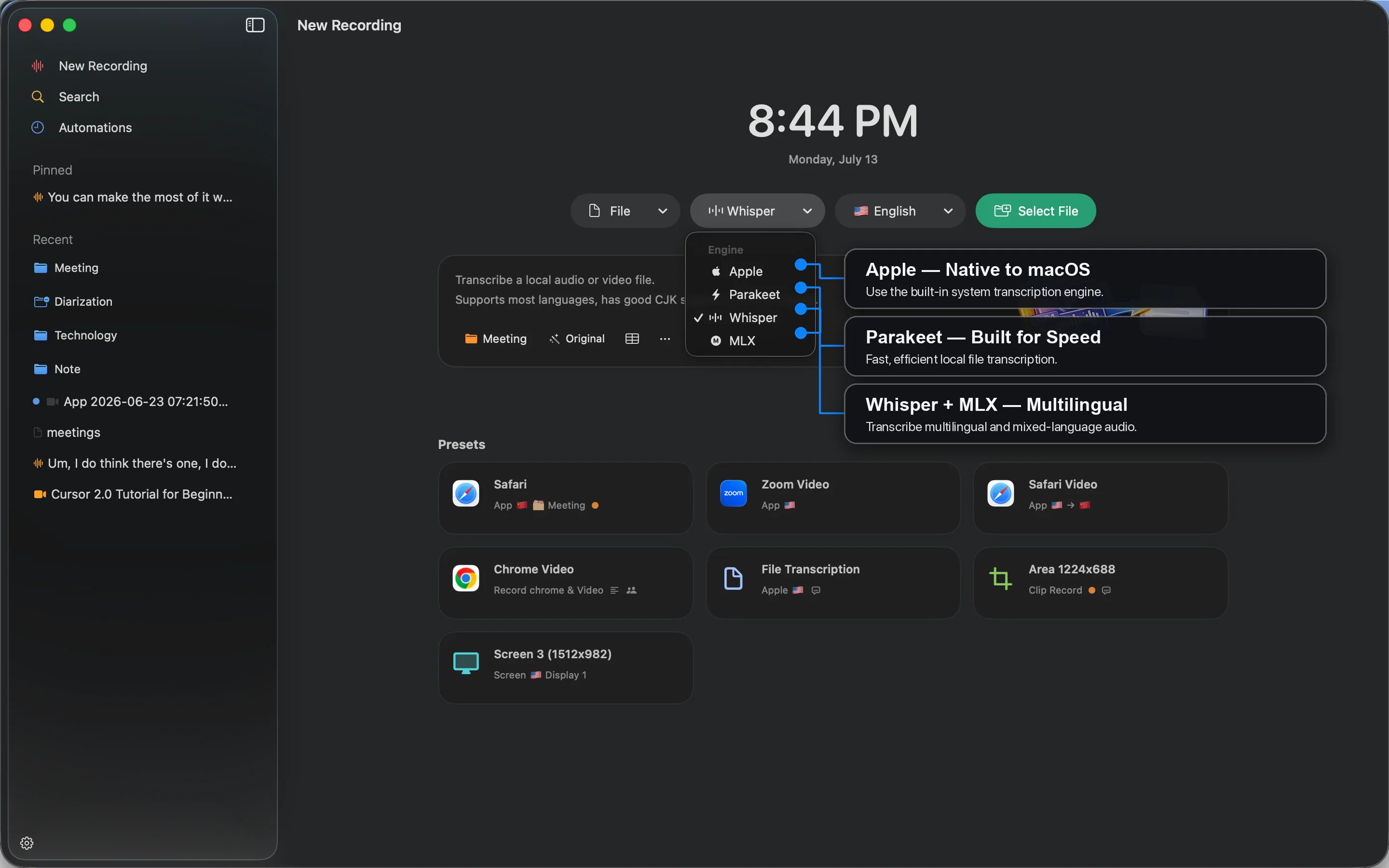
Choose the right transcription engine.

Use Apple, Parakeet, or Whisper + MLX based on the language, speed, and workflow you need.

  • Apple — Native to macOS
  • Parakeet — Built for speed
  • Whisper + MLX — Multilingual
Choose the right transcription engine.

Review meaning in context.

Watch the source and translation together while captions stay synchronized with the media.
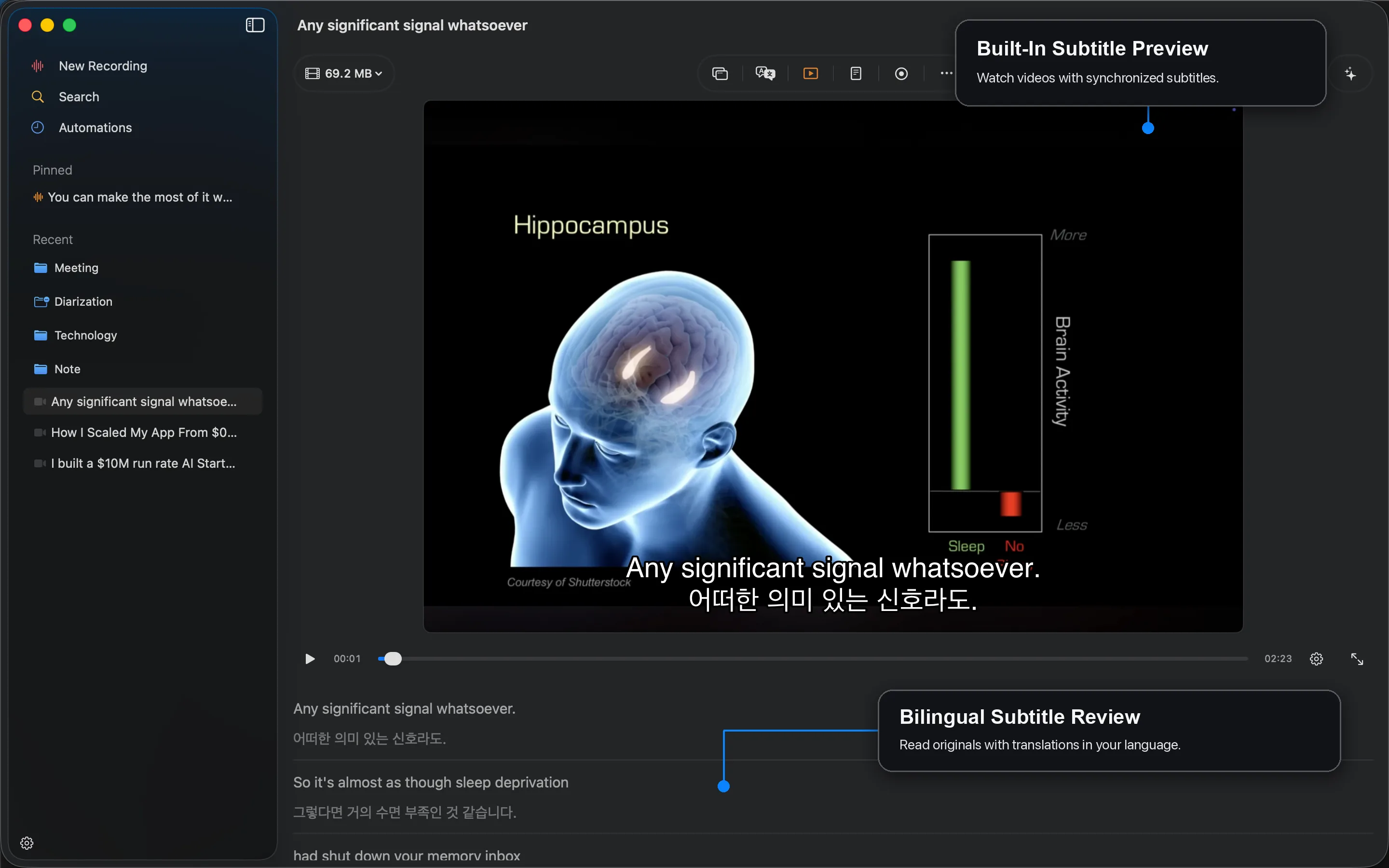
  • Bilingual subtitle preview
  • Original or translated views
  • Searchable subtitle history
Review meaning in context.

Know who said what.

Separate participants into clear, color-coded speaker labels for faster meeting review.
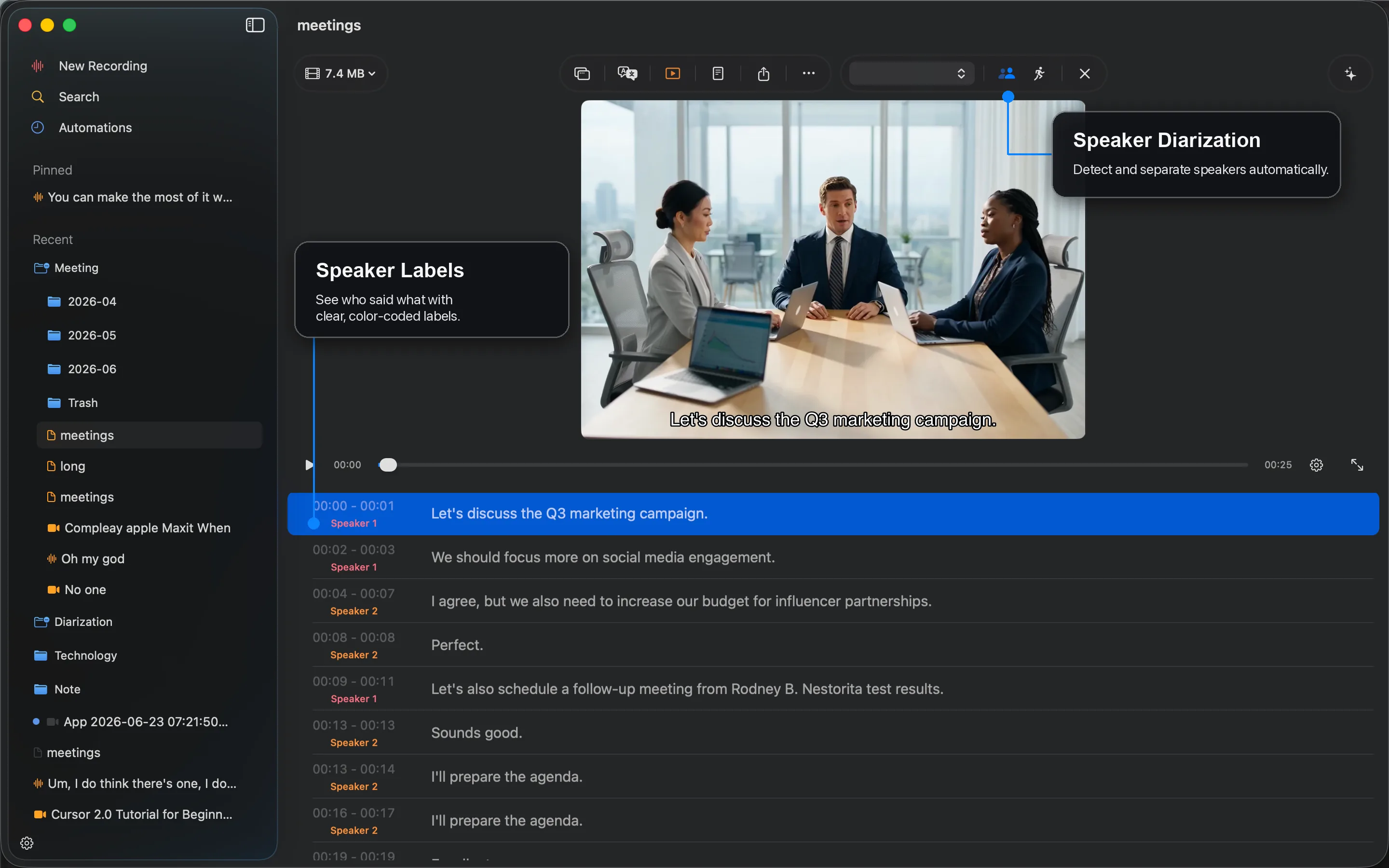
  • Automatic diarization
  • Editable speaker labels
  • Timestamped transcript rows
Know who said what.

Share only what matters.

Choose all, selected, or bookmarked ranges and export the format that fits the next step.
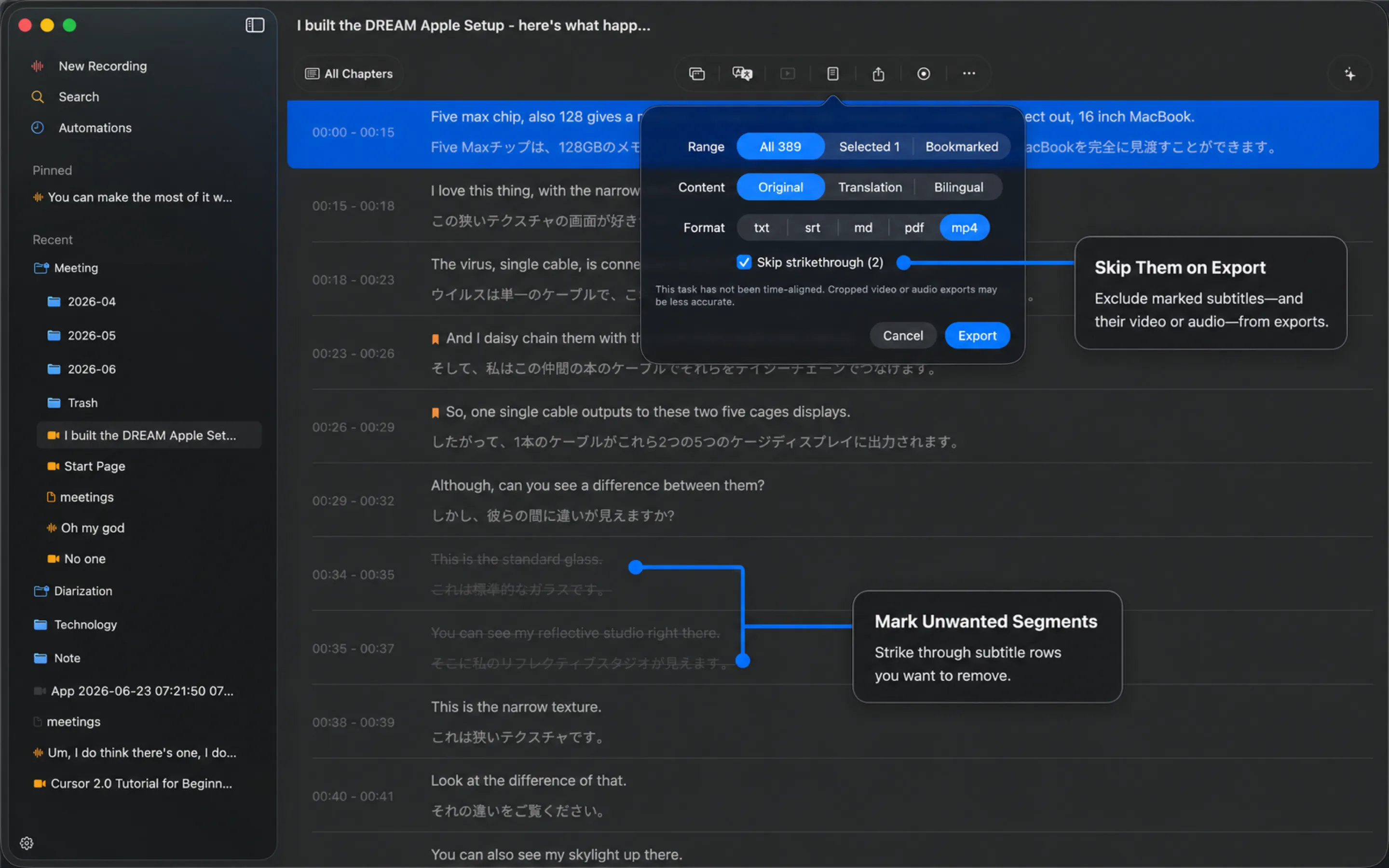
  • Text and subtitle formats
  • PDF and Markdown
  • Trimmed captioned media
Share only what matters.

Let recordings start themselves.

Run a saved preset when selected apps open, at scheduled times, or when keywords appear.
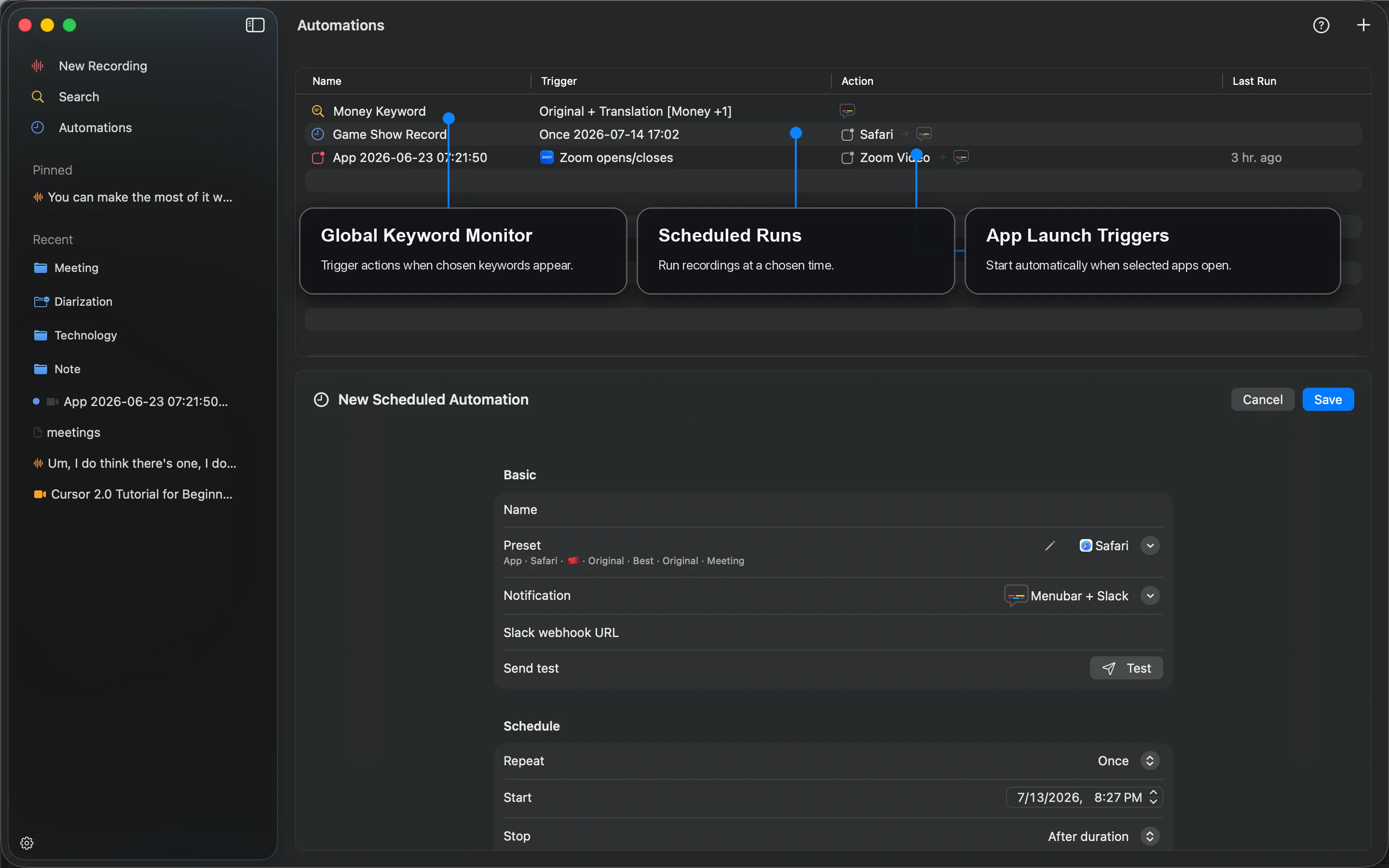
  • Global keyword monitors
  • Scheduled recording runs
  • App launch triggers
Let recordings start themselves.

Keep live captions in view.

Follow real-time original and translated subtitles in a movable companion window without interrupting your work.
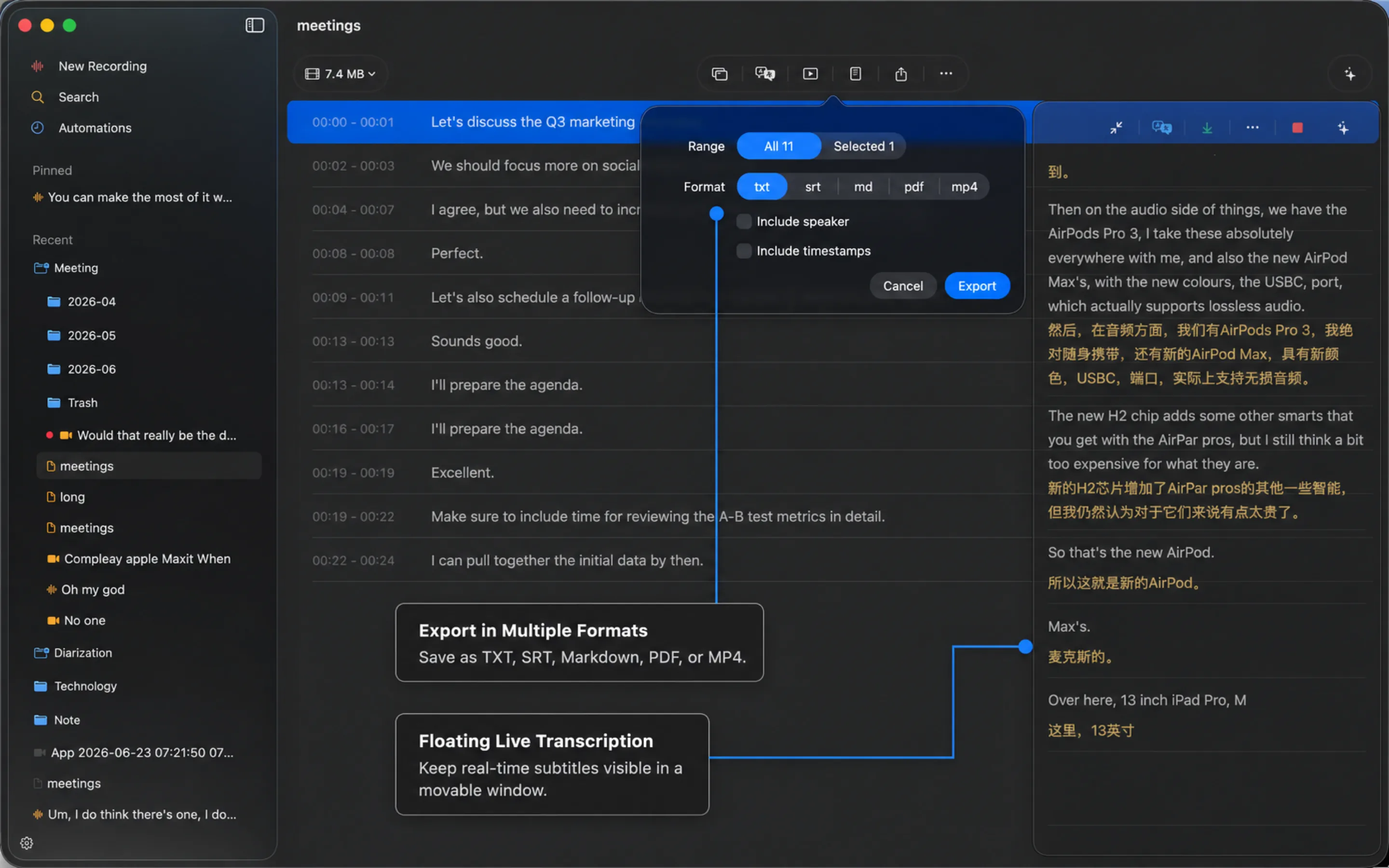
  • Movable subtitle window
  • Original and translated captions
  • Live updates without switching apps
Keep live captions in view.

Turn long transcripts into clear takeaways.

Organize each recording into stages, topics, key points, and noteworthy moments for faster review.
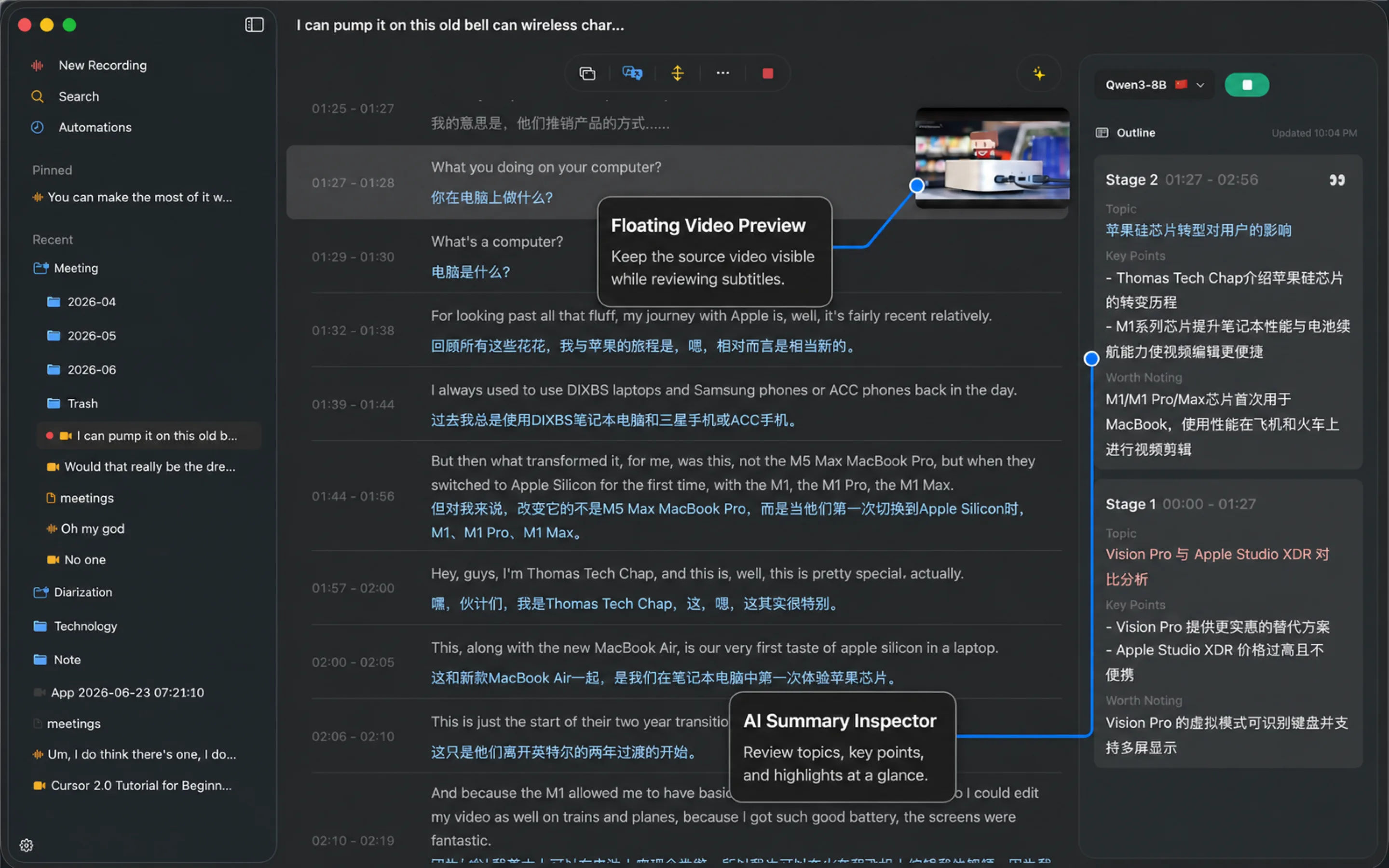
  • Stage-by-stage outlines
  • Topics and key points
  • Highlights linked to the transcript
Turn long transcripts into clear takeaways.

Move everything. Back up once.

Choose where Caption Mate keeps its data, models, and recordings while preserving your sidebar folder structure on disk.
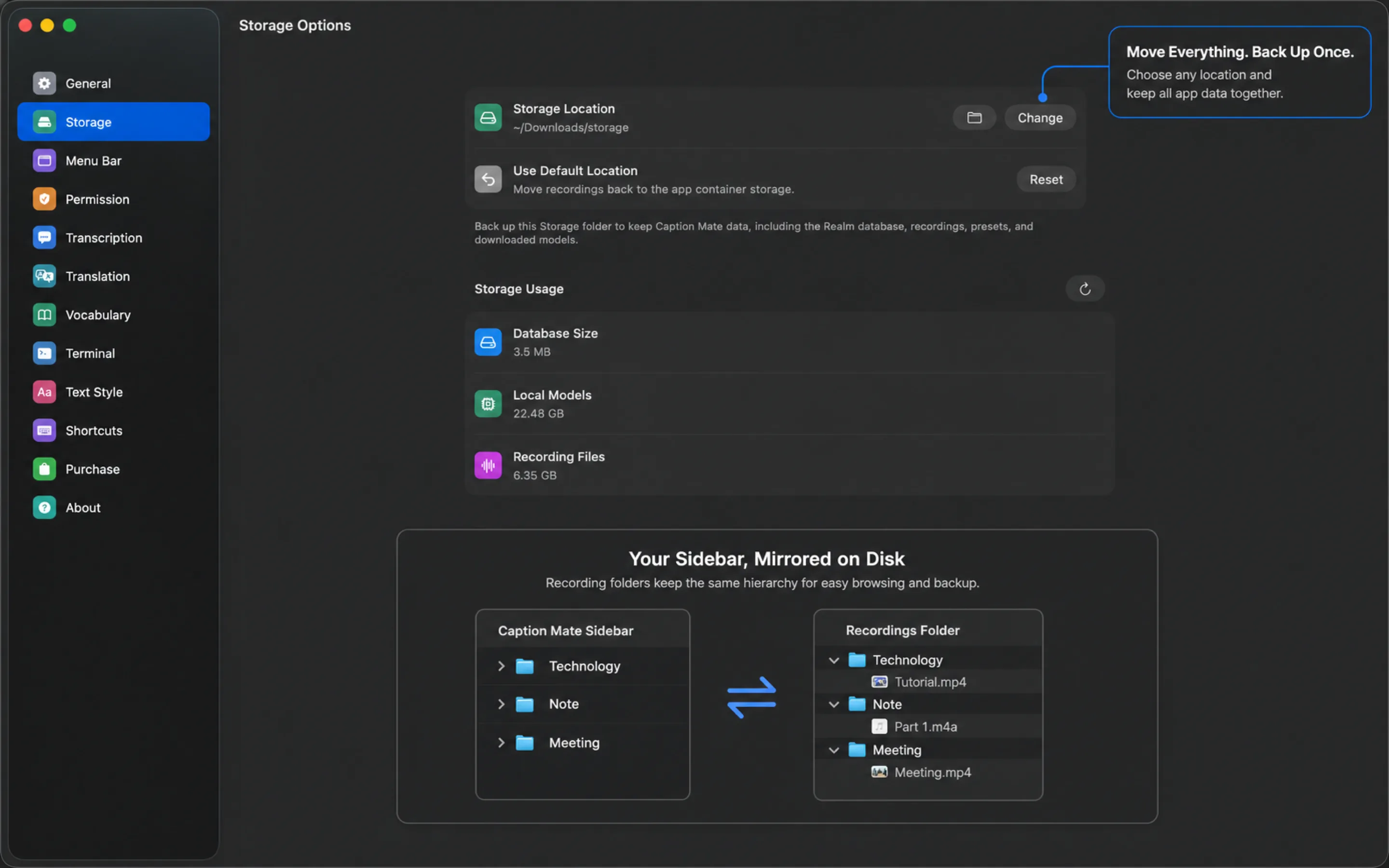
  • Custom storage location
  • Clear storage usage breakdown
  • Sidebar folders mirrored on disk
Move everything. Back up once.

Caption Mate app preview